“Don’t Just Rely on Google Maps!” The 3 Must-Have Apps for Traveling in Korea 📱
Hello, this is Minguccio, your bridge between Italy and Korea! 🇮🇹🇰🇷
Did you book your flight to Korea after reading my last post about the BTS Comeback Live on March 20th or the spring cherry blossom season? If your tickets are ready, it’s time to pack the essential “applications” to perfectly survive in Korea.
There is one main reason why many foreign friends panic as soon as they arrive in Korea. It’s the fact that Google Maps, which works perfectly everywhere else in the world, doesn’t work properly in Korea!
My wife’s Italian friends often come to visit Korea. However, it’s not always easy to go around Seoul together every time, and everyone has different things they want to do! If you are preparing for a solo trip or want to enjoy some free time on your own away from your group, today’s post will be a huge help! I’ll show you how to use the top 3 essential survival apps that will boost the quality of your Korean trip—and the daily lives of Koreans—by 200%.
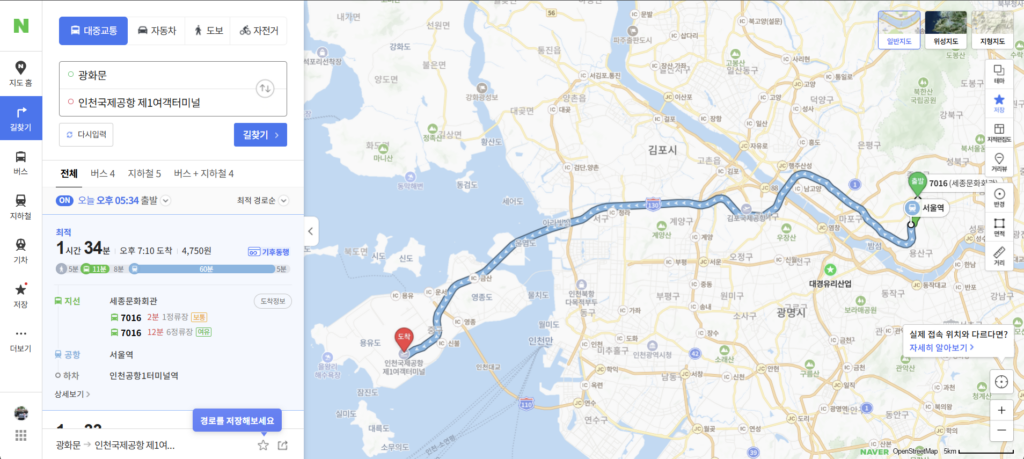
🗺️ 1. The God of Navigation: Naver Map
When my Italian family came to Korea last year, they tried to use Google Maps as usual. In other countries, Google Maps is much more accurate, but in Korea, it can sometimes cause inconvenience with inaccurate information and directions.
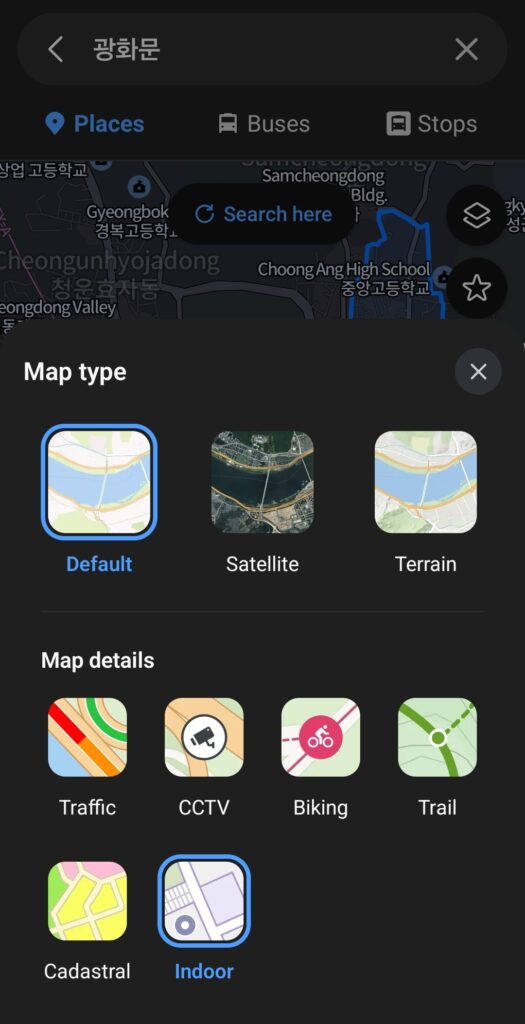
Due to South Korea’s national security laws, Google Maps cannot provide accurate walking directions or real-time bus schedules. In Korea, I highly recommend using Naver Map.
It is incredibly useful because it is more closely and accurately linked to public transportation in real-time, such as bus arrival times and bus stop locations.
If you are using a rental car, you can also use the navigation feature within Naver Map or the separate Kakao Navi app!
- Global Support: Fortunately, it fully supports English, Chinese, and Japanese! Just change the language to ‘English’ in the app settings.
- Core Features: * It offers world-class walking navigation, real-time bus arrival times, and incredibly detailed subway transfer info (it even tells you which train car to board for the fastest transfer!).
- Search for the places you want to visit (restaurants, landmarks) in English and use the ‘Save’ (star) feature to create your own personalized travel map.
- 💡 Tip: If you don’t have Naver Map when trying to find the right exit in massive subway stations like Gwanghwamun or Gangnam, you might get stuck in a maze. Make sure to download it before you arrive in Korea!
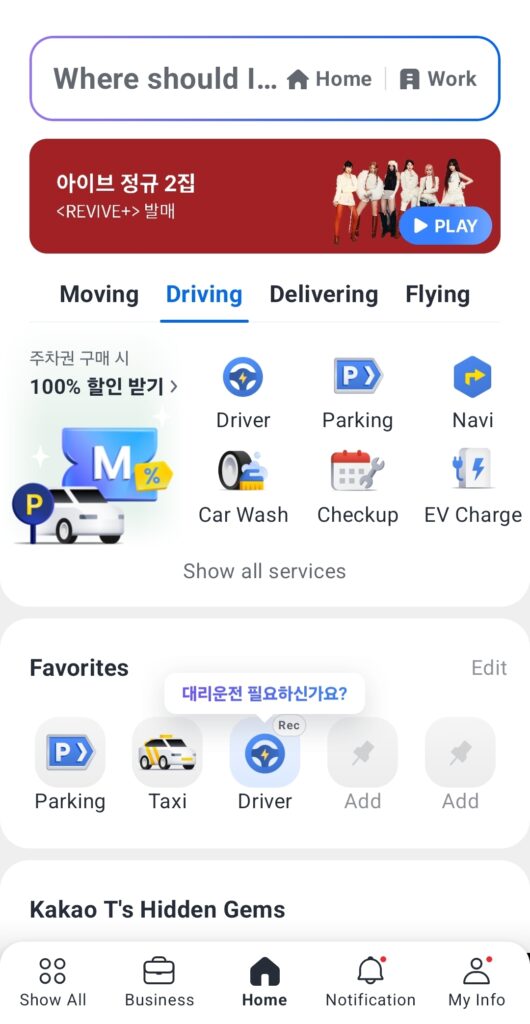
🚕 2. No More Overcharging Worries: Kakao T (Kakao Taxi)
Standing on the street trying to hail a cab late at night or while dragging heavy luggage is a thing of the past. 99% of Koreans use this app to call a taxi.
Personally, I register my credit card in advance, so the payment is automatically completed the moment I arrive! This way, there’s no need to watch the meter anxiously. The driver simply calculates the fare based on the distance without caring who the passenger is, so there’s absolutely no chance of getting ripped off just because you’re a foreigner!
- How to Use: Enter your departure point and destination, and the estimated fare, driver’s face, and license plate number will appear. Since the destination is pre-set in Korean, there’s zero stress about communicating with the driver.
Also, when the taxi arrives, you can see the last four digits of your phone number on the front display of the taxi from afar, like [Reservation 1234]! - Payment Tip for Foreigners: Registering an overseas credit card can sometimes be tricky. If so, set your payment method to ‘Pay to the driver’ (기사님께 직접 결제) before requesting the ride! Once you arrive, you can simply pay directly with cash or your foreign credit card. Almost 100% of taxis in Korea accept card payments.
- Alternative App (Uber): If you find it hard to sign up for Kakao T, try opening your global Uber app. In Korea, Uber is automatically integrated under the name ‘UT’, allowing you to easily call Korean taxis.

🍽️ 3. Skip the Lines at Hotspots: CatchTable Global
Lately, famous restaurants and aesthetic cafes in Korea no longer have physical lines. Instead, you put your name on a digital waiting list via a tablet or make reservations in advance. In the past, foreigners without a Korean phone number often had to turn around and leave because they couldn’t make a reservation.
- Global Version Launched: Now, if you download the ‘CatchTable Global’ app, you can use your email or foreign phone number to book trendy Korean restaurants and join the line remotely (Online Waiting).
- Conquer the Hotspots: If you want to visit that beautiful cafe in Hannam-dong or that Michelin-starred restaurant in Seongsu-dong you saw on Instagram, just search for it on this app and hit the reserve button! You might need to pay a deposit to prevent no-shows, so have a card ready for overseas payments.
- Android Download link Global version
- App Store iPhone Download link Global version
🎒 Traveling in Korea: Nothing to Fear Anymore!
Navigating to Gwanghwamun Square (the venue for the BTS Comeback Live!) with Naver Map,
Booking a famous nearby restaurant through CatchTable,
And comfortably returning to your accommodation by calling a Kakao Taxi—the perfect day!
As long as you have these three apps ready on your smartphone, the quality of your trip to Korea will completely change. Download them in advance, tap around, and get familiar with how they work.
If you have any questions, feel free to leave a comment anytime. Mingoo is always cheering for your perfect Korean adventure! 🇮🇹💜🇰🇷
- 🌸 [2026 Korea Cherry Blossom Guide] Seoul’s Best Spots & Local
- [2026 KoreaTravel] 3 Essential Apps:NaverMap,KakaoT,CatchTable
- Milan Outlet Shopping Guide: Serravalle vs. FoxTown vs. Fidenza
- Climate Card SeoulGuide: Unlimited Subway & Bus Pass for Tourist
- 2026 Seollal in Korea: Travel Guide for Foreigners Transport&hotel